- A target, a control indication and a room temperature are different evidence.
- The actual model, active override and sensor location decide how to interpret the display.
- Compare ordinary room response with dated context; runtime and comfort alone do not establish energy savings.
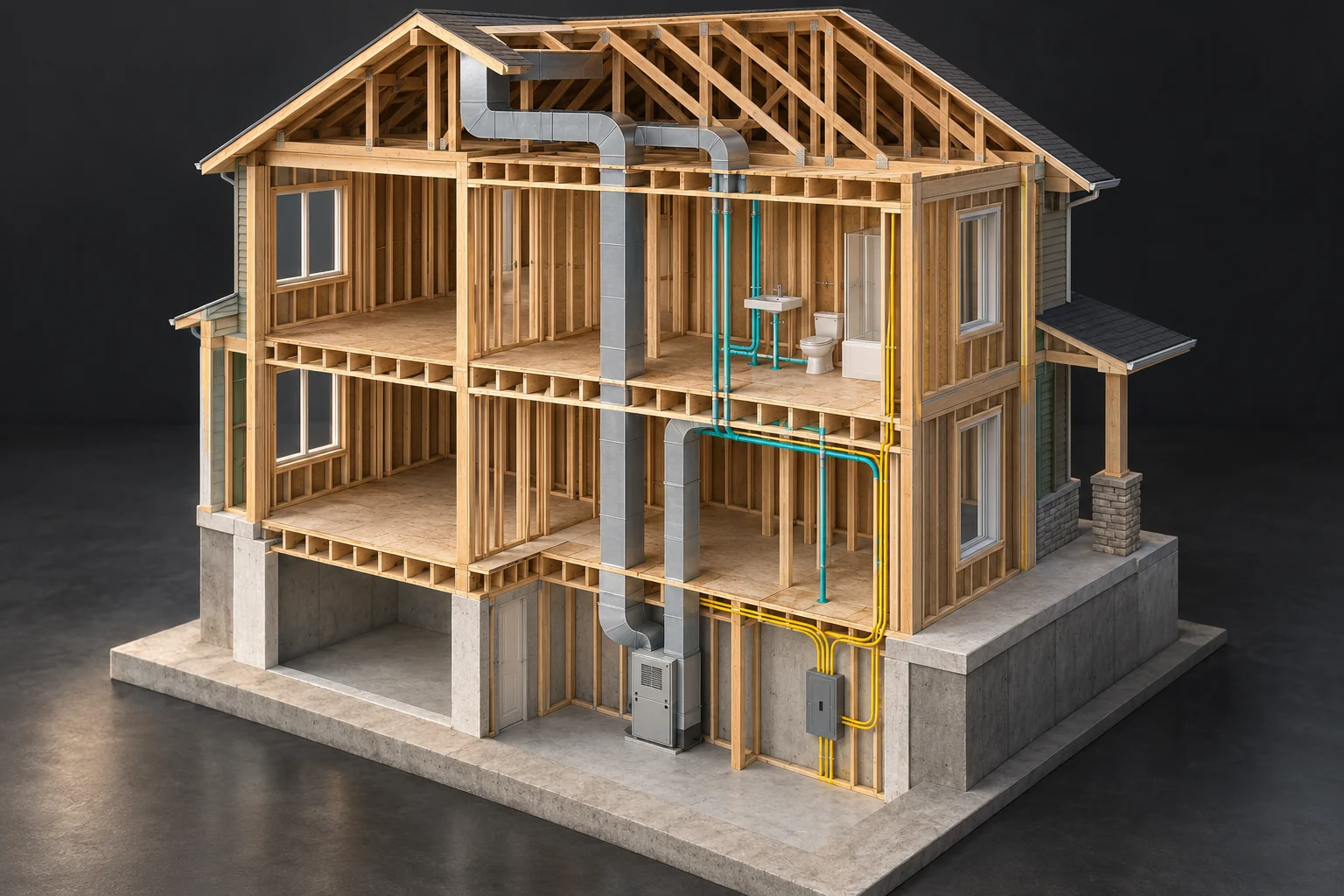
Conceptual architecture. Layout, sizes and routes are illustrative; the picture does not describe your home’s condition.
Explore this in the visual atlas ↗4 picture lessons appear beside the questions in this guide. Use them to understand the explanation, then consider what it means for your home.
Which control am I actually trying to understand?
Start with the installed thermostat identity, its owner manual and the heating or cooling equipment it reportedly serves. A wall display can control one area, several rooms or a coordinated arrangement. Another nearby thermostat may serve a separate heater. Record a relationship as documented, reported or unknown; proximity and a familiar brand do not establish it. Use accessible labels, handover documents and photographs of closed equipment rather than removing a thermostat from the wall.
The question is what the ordinary control record tells you about comfort. The linked hydronic guide owns water circuits and zone delivery; the heat-pump guides own installed-system relationships and defrost; the energy-bill guide owns consumption periods and billing comparisons. This lesson connects a schedule and its actual control state to room response. It supplies no thermostat compatibility verdict, wiring instructions or recommended control configuration.
What is the difference between the target and the temperature?
A setpoint is a control target. A displayed indoor temperature is the control system’s reported temperature, subject to its sensor and processing. A separate bedroom reading is a third observation at a stated position. Keep all three fields distinct. Copy the temperature unit too: a number without Celsius or Fahrenheit cannot support a sensible comparison. Never silently turn the target into a measured room result.
The reviewed T6 Pro Smart guide distinguishes desired temperature from current indoor temperature on its display. That named example explains the distinction, rather than identifying every screen layout. A heating indication adds control information; it does not measure air volume, water circulation or heat delivered to a distant room. Before concluding that the thermostat is ignoring a target, recover the meaning of the actual display and note when the observation was made.
A target and a temperature need different records
A small rectangular wall device has a blank face. A closed window, finned radiator specimen and ordinary seating appear in the room. No target, reading, heat call or measurement is displayed.
Numbers identify the parts explained below.
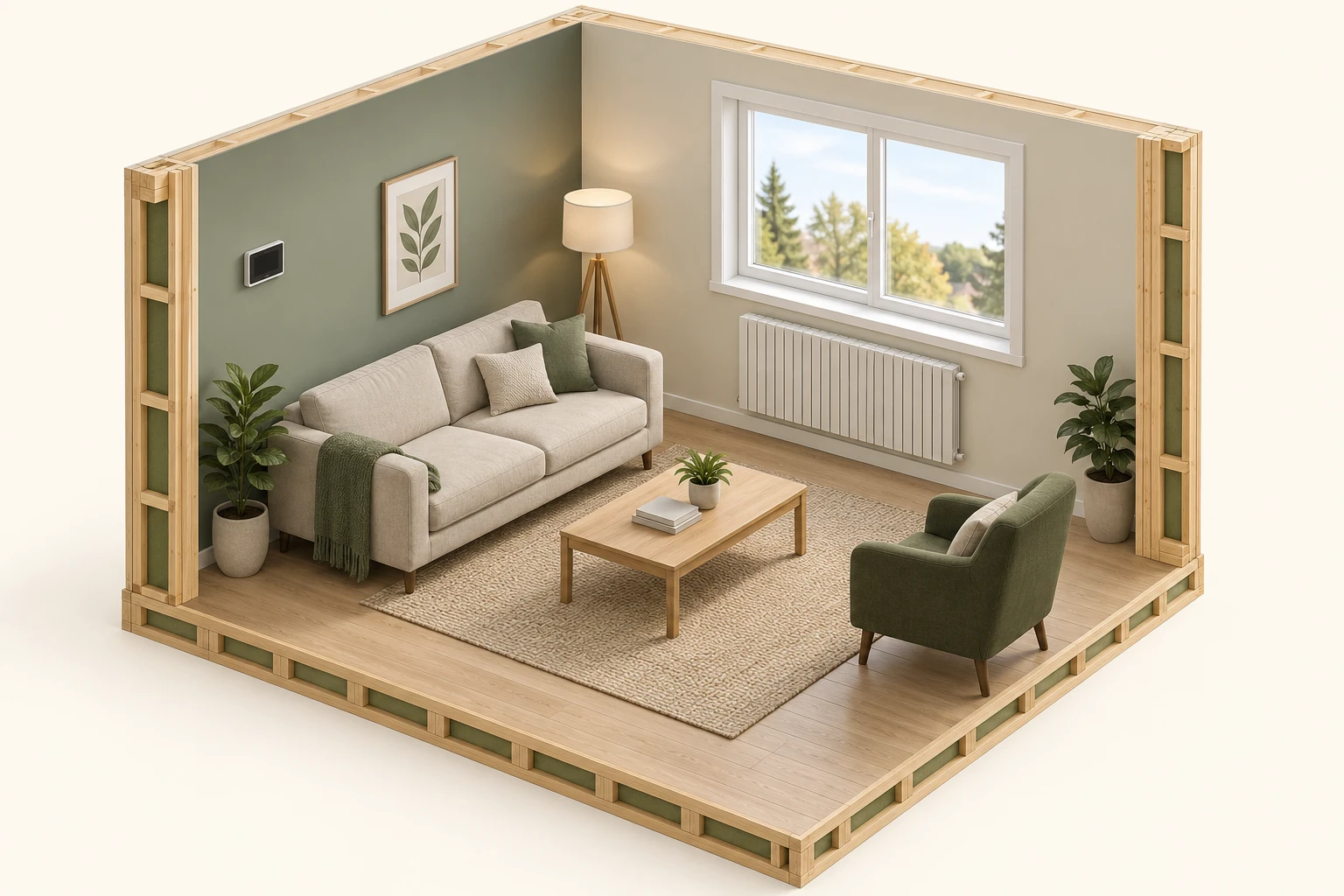
- Blank wall device
No displayed target or sensed value is visible. Identify the actual controller and record what each displayed field represents.
- Occupied room
A room-specific question needs a dated, located observation. Furniture and a control target supply no measured comfort result.
- Finned specimen
Appearance supplies no heating medium, control link, capacity or delivered output.
What does this illustration leave out?
The model identifies no thermostat or sensor model, selected sensing source, fuel, wiring, control link, approved placement, room temperature, capacity, delivered heat, recovery time or energy saving. The emitter specimen has no shown connections. No settings, relocation, calibration or equipment access is suggested. This illustration explains an idea. It is not an installation guide.
Which actual records distinguish the scheduled target, active instruction and reported room temperature?
Explore this with HomeAI ↗Opens an editable question. Nothing is sent until you choose to send it.Is the published schedule actually the active instruction?
A schedule describes intended targets at identified times. A screenshot of that schedule does not prove that it governed the observed morning. A hold, vacation mode or documented location-based function may change the active instruction. Record the visible state and the existing feature configuration where the owner instructions make it available. If the app or control cannot explain which instruction was active, preserve that as a specific gap.
For the named T6 models, the reviewed manual distinguishes temporary, permanent and vacation holds from scheduled operation. Their available behaviour is tied to the model and setup. This guide deliberately gives no menu sequence or hold duration to adopt. A service brief saying the schedule requested a warmer room at seven becomes more useful when it also records whether the control actually displayed following schedule or a hold at that time.
One fictional morning, four different records
The schedule, active instruction, control-reported value and a separate-room observation answer different questions. These invented numbers teach record scope; they are not expected temperatures, a measured home, a performance standard or a proposed operating procedure.
Scroll the complete fictional record horizontally on a narrow screen.
| Record | 08:00 | 08:30 | 09:00 |
|---|---|---|---|
| Scheduled target | 21 | 21 | 21 |
| Reported active target | 19 | 19 | 21 |
| Control-reported temperature — sensing location unconfirmed | 18.5 | 19 | 19.2 |
| Separate bedroom reading — instrument comparability unverified | Unknown | Unknown | 17.8 |
These separate observations establish no hold diagnosis, sensing accuracy, heat-call state, comfort pass or fail, saving, cause or expected recovery time. No settings, wiring or equipment access is recommended.
Why might the equipment be called before the scheduled time?
Some controls anticipate a future target instead of waiting for its scheduled start. The T6 Pro Smart manual describes Adaptive Intelligent Recovery and its visible recovery indication. Early operation can therefore have a documented control explanation. It is not automatically a stuck relay, a broken clock or proof that a smart feature saves energy. Confirm the installed model and existing feature state before assigning that explanation.
Record both the scheduled target time and the observed start or display time, with the room’s response beside them. A photograph taken before the target time can otherwise produce a false contradiction. Do not disable recovery, repeatedly force a large setback or interrupt power to create a demonstration. If the ordinary sequence remains unexplained, ask the responsible HVAC provider which control evidence would distinguish anticipated recovery from another cause.
Does a flashing message prove the equipment is delivering heat?
A display is evidence with a model-specific vocabulary. The reviewed T6 guide describes flashing Cool On, or Heat On for a heat-pump setup, during compressor or startup protection. The reviewed VisionPRO RedLINK guide instead describes a Wait message for compressor protection. The same-looking word or a change from steady to flashing must therefore be interpreted against the actual documentation.
These examples explain why a visible request or waiting state is different from verified equipment output. They do not establish that an unfamiliar delay is acceptable, diagnose a failure or authorize indefinite waiting when essential heat is lost. Copy the message exactly, include its timing and arrange appropriate assistance for a persistent unexplained problem. Do not bypass protection, change installer delay settings or infer a compressor’s condition from the screen alone.
Where does the control temperature come from?
The control temperature may describe a sensor at the wall unit or a documented remote location. Resideo’s reviewed VisionPRO RedLINK manual explicitly notes that a remote indoor sensor can make the home-screen reading differ from conditions beside the thermostat. An apparent mismatch therefore starts with the sensor relationship, rather than an assumption that either instrument needs calibration. Keep an unconfirmed remote connection labelled unknown.
Record the ordinary observation position and obvious influences such as direct sun, a supply jet or a nearby exterior surface. Use the same permitted thermometer position and its instructions for later observations. A bedroom instrument and a hallway control sample different places; their difference is not automatically measurement error. Do not relocate sensors, change offsets, remove covers or create a heating exposure to compare them. A qualified provider can confirm the control’s sensing arrangement and suitable verification.
The control enclosure does not reveal its sensing source
A small rectangular wall device has a blank face. A closed window, finned radiator specimen and ordinary seating appear in the room. No target, reading, heat call or measurement is displayed.
Numbers identify the parts explained below.
- Wall location
A visible enclosure cannot establish whether its own sensor, a remote sensor or another input contributes.
- Closed window
An exterior surface gives room context without proving temperature, drafts or solar gain.
- Room seating
An observation at an occupied place stays separate from the control report and from another room’s reading.
What does this illustration leave out?
The model identifies no thermostat or sensor model, selected sensing source, fuel, wiring, control link, approved placement, room temperature, capacity, delivered heat, recovery time or energy saving. The emitter specimen has no shown connections. No settings, relocation, calibration or equipment access is suggested. This illustration explains an idea. It is not an installation guide.
Which sensor or input does my actual control use, and what does each room observation represent?
Explore this with HomeAI ↗Opens an editable question. Nothing is sent until you choose to send it.Why does the room respond after the control state changes?
A room temperature reflects gains, losses and stored heat over time. The equipment request can change before the air, furnishings and construction reach a new condition. Different emitters and arrangements also respond differently. NRCan’s household operating guidance specifically excludes some slow-response hydronic systems and heat pumps from a simple general setback recommendation. One universal recovery time would hide those distinctions.
NRCan’s heat-pump guidance further explains that setback recovery can involve supplementary heat and that results depend on the system. Keep the existing intended sequence in the record and ask whether it suits the installed arrangement. This lesson sets no setback depth, auxiliary offset or outdoor cutoff. If a room remains different while the control is satisfied, the airflow or hydronic parent can help frame the delivery and room-loss questions without blaming the thermostat by default.
Warm-looking pipe colours cannot quantify heat delivered to a room.
A tall closed cabinet, two finned room radiators and red/blue pipe forms are visible. The smaller grey enclosure has water-pipe connections. A plain wall device is shown. The colours distinguish drawn paths; the picture contains no temperature, flow or operating result.
Numbers identify the parts explained below.
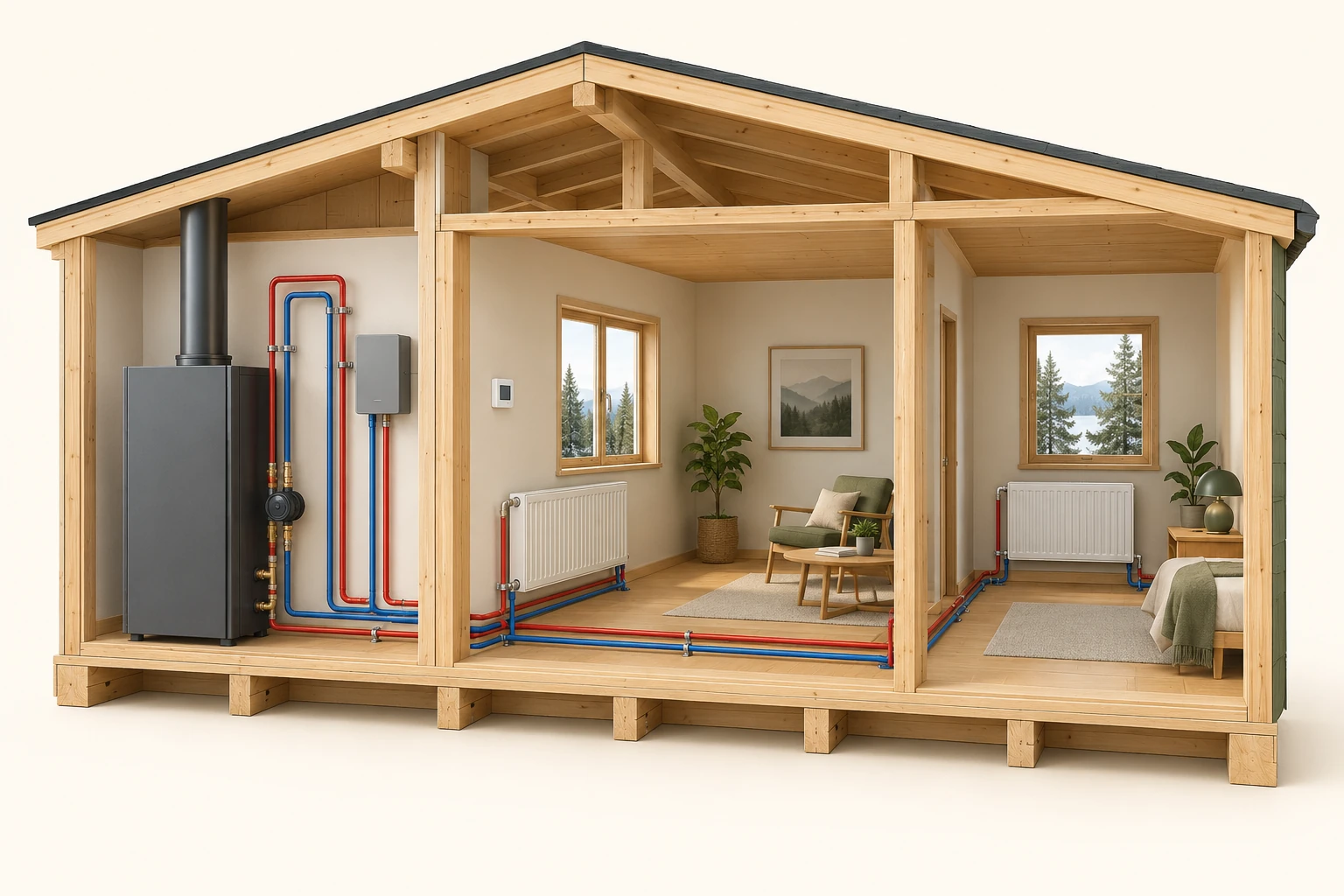
- Left radiator surface
The emitter form introduces heat transfer. The still contains no measured fluid mass-flow rate, temperature difference or heat-transfer rate.
- Right room context
Room response also depends on heat loss and time. A second visible room does not establish an independent zone or equal heating demand.
- Lower coloured routes
Colour encodes the conceptual drawing. It is not a thermal image, live flow demonstration or evidence of balancing.
What does this illustration leave out?
The picture identifies no actual heat source, fuel, controller, independent zone topology, complete circuit, circulation direction, measured heat-transfer rate, room heat loss or approved installation. The smaller pipe-connected enclosure must not be identified as an electrical zone controller. No internal equipment access or adjustment is suggested. This illustration explains an idea. It is not an installation guide.
Which documented circulation, temperature, timing and room-demand evidence would distinguish a delivery question from a room heat-loss question?
Explore this with HomeAI ↗Opens an editable question. Nothing is sent until you choose to send it.Instruction, equipment response and room outcome stay separate
A small rectangular wall device has a blank face. A closed window, finned radiator specimen and ordinary seating appear in the room. No target, reading, heat call or measurement is displayed.
Numbers identify the parts explained below.
- Control specimen
A documented target differs from a verified request and an observed equipment state.
- Emitter specimen
Its appearance establishes neither delivery nor expected response time.
- Room context
Record the actual room sequence and ordinary conditions. This still contains no heat-flow simulation or recovery result.
What does this illustration leave out?
The model identifies no thermostat or sensor model, selected sensing source, fuel, wiring, control link, approved placement, room temperature, capacity, delivered heat, recovery time or energy saving. The emitter specimen has no shown connections. No settings, relocation, calibration or equipment access is suggested. This illustration explains an idea. It is not an installation guide.
Which target, equipment-status and room observations would make this comfort question useful to a qualified professional?
Explore this with HomeAI ↗Opens an editable question. Nothing is sent until you choose to send it.How can I compare ordinary schedules without changing several questions at once?
Choose a specific comfort question: for example, whether the same occupied bedroom becomes comfortable during the household’s ordinary morning routine. Preserve the schedule and any active hold, observation times, room position, equipment mode and broad occupancy. Record ordinary door or window conditions and known service or filter changes. Collect existing normal-use evidence; an extreme temperature challenge is unnecessary.
Add outdoor context with its source and dates. A weather station represents its location, not this room; a regional average is different from the actual observation period. The Canadian climate glossary defines degree-days as a weather indicator, while the energy-bill companion explains their limits. This lesson performs no weather normalization. Two mornings with different wind, sun, occupancy or control states can still be informative, but their difference cannot be attributed solely to a schedule.
Can fewer calls or a shorter runtime establish savings?
No. Call duration describes time in a documented control state; energy describes an accumulated quantity within a defined boundary. Equipment can operate at different outputs, and another heat source or fan can contribute. An app may also report a request history rather than independently meter energy. Recover the channel definition before turning a runtime chart into an equipment-efficiency claim.
Record comfort and consumption as separate outcomes. If the goal is energy comparison, use the actual billing or suitable metered records with their units, intervals and included loads, then follow the energy-log guide. A lower target, shorter apparent call or improved room impression does not isolate savings. Ask a qualified professional what measurement and comparison method would answer the financial question. The manufacturer’s feature description is not a measured saving for this home.
What does a fictional early-heating morning teach?
Explicitly fictional learning case: an owner’s existing schedule has a morning target time, and the T6-labelled control shows Recovery before that time. A bedroom reaches the owner’s preferred condition later than the hallway. On another morning a permanent hold is active and the weather differs. The owner has screenshots and room observations but no confirmed sensor map or equipment-output record. None of this establishes a defective thermostat or a saving.
The owner labels the control states correctly, preserves both mornings and asks the service provider to confirm the installed control-to-room relationship and intended recovery behaviour. Suppose the provider documents one setting’s purpose but leaves the bedroom delivery question open. Retain that answer and exclusion separately. The case’s useful result is a clearer comfort question, not a new setpoint recommendation or a claim that the two mornings were a controlled experiment.
Which next question should I take to the service professional?
Bring the exact control manual, current model records, a small room-and-time log and the unresolved question. Ask what the visible state establishes, which sensor influences the control, whether the existing schedule suits the equipment, and what additional evidence would distinguish control behaviour from room delivery or heat loss. Request the assessed scope, configuration, findings and exclusions in the completed-work record. A thermostat check alone is not a whole-home comfort assessment.
Use only normal, dry, safe access. No wiring, equipment opening, calibration, installer setting or forced fault belongs in this log. Loss of essential heat during severe weather calls for prompt appropriate assistance. A CO alarm requires immediate evacuation and emergency help from outside; do not wait for a graph or investigate the heat source. For a buyer or seller, an informed agent can organize the documents and relevant specialist discussion, while the qualified provider owns the technical findings.
Keep learning about the connected parts
Practice the distinction.
Early recovery, a later bedroom
Explicitly fictional: a T6-labelled control shows Recovery before its target time; the bedroom responds later, and a second morning has a different hold and weather.
Reported observations
- The existing schedule and active indication are recorded separately.
- Bedroom and hallway observations are at different locations.
- No confirmed sensor map or measured equipment-output record is supplied.
Compare the explanations
Expand each possibility to see the evidence needed to distinguish it. Similar symptoms can have different mechanisms.
Documented control sequence
Anticipation or an active override may explain the timing without proving output.
Applicable manual and qualified confirmation of the existing configuration.
Room delivery or loss question
A remaining room difference can require complementary assessment.
A scoped HVAC or building assessment suited to the unresolved room question.
A useful next question
Confirm the installed control and sensor relationship, then agree which remaining comfort question needs assessment.
No fault diagnosis, forced experiment, preferred setpoint, recovery-time guarantee or energy saving is calculated.
Know what the words mean.
- Setpoint
- The temperature target used by a control, distinct from a reported temperature or the achieved condition in another room.
- Schedule override
- A documented hold or other active instruction that changes which scheduled target governs the control.
- Recovery
- In the named manufacturer examples, anticipatory operation intended to approach a future scheduled target; the actual feature and display are model-specific.
- Control indication
- A model-defined displayed state or request; it does not independently measure equipment output or room heat delivery.
- Sensor location
- The place whose measurement contributes to the control temperature; it may differ from the wall display or an occupied room.
- Response record
- Dated ordinary room observations linked to control state and context, with unresolved causes kept explicit.
Questions to bring
to the conversation.
- Which thermostat and owner manual describe the installed control?
- Is the screenshot a scheduled target, active hold or recovery state?
- Where does the displayed control temperature come from?
- Which ordinary room and weather conditions changed between observations?
- What should the service professional establish before recommending a control change?
Separate a showing observation, an existing record and a new professional assessment. Unknown means a question remains; it does not automatically mean a defect.
Use the evidence planner ↗Go to the source.
Original HomeAI explanation informed by these public references. Sources support the underlying guidance; they have not reviewed or endorsed HomeAI. Diagrams are conceptual, and calculator outputs depend on your inputs.
Publication & source review
First published .
Sources reviewed .
- NRCan · Keeping the Heat In, section 9: household operation
Where this reference applies
Jurisdiction: Canada; federal general household guidance
Source reviewed: 2026-10-03 · UTC
Fresh HTTP capture; visible modified September 29, 2025. Bounded sections 9.1.2 and 9.4: control/schedule context, slow-response exceptions and make/model-specific professional ventilation support. No universal savings percentage, setback temperature, alarm placement, radiator bleeding or maintenance procedure is adopted.
- NRCan · Heating and cooling with a heat pump: thermostat operation
Where this reference applies
Jurisdiction: Canada; federal general heat-pump context
Source reviewed: 2026-10-03 · UTC
Visible modified December 24, 2025. Bounded operation considerations and thermostat section: recovery, supplementary heat and configuration-dependent savings. No universal setback depth, auxiliary offset, lockout, control adjustment, equipment sizing or DIY test.
- Resideo · T6 Pro Smart user guide, 33-00410EFS–03
Where this reference applies
Jurisdiction: Manufacturer guidance for TH6320WF2003 / TH6220WF2006; English/French/Spanish manual, not a Canadian installation approval
Source reviewed: 2026-10-03 · UTC
Retained PDF: 33-00410EFS–03, imprint Rev. 12-22, copyright 2022; exact publication day unknown. English PDF pages 1, 3–6, 8–9 and 22: displayed desired/current temperatures, scheduling/hold categories, configuration limits, flashing compressor-protection indication and adaptive recovery. No menu recipe, wiring, thermostat installation, installer setting, calibration or forced operating experiment.
- Resideo · VisionPRO RedLINK user guide: display and sensor context
Where this reference applies
Jurisdiction: Manufacturer named-model example: TH8110R1008, TH8320R1003, TH8321R1001 and YTH8321R1002; applicability depends on installed options
Source reviewed: 2026-10-03 · UTC
English pages carry 69-2761EFS–09, while English back imprint says –11 Rev. 12-20, copyright 2020; retained mixed revision labels disclosed, exact publication day unknown. Read only model cover, advanced features and temperature-display passages: In Recovery, Wait and possible remote indoor sensor. No universal signal mapping, installation claim, remote-sensor relocation or installer-menu instruction.
- Environment and Climate Change Canada · Climate glossary
Where this reference applies
Jurisdiction: Canadian federal climate definitions
Modified August 10, 2026. Degree-days with an 18°C base and station/data provenance definitions. No current local weather series, numeric weather normalization, building balance-point assumption or forecast is supplied.
- Health Canada · Preventing carbon monoxide exposure
Have a question about your home?
Start with the symptom, timing and what you have observed.
Ask HomeAI